

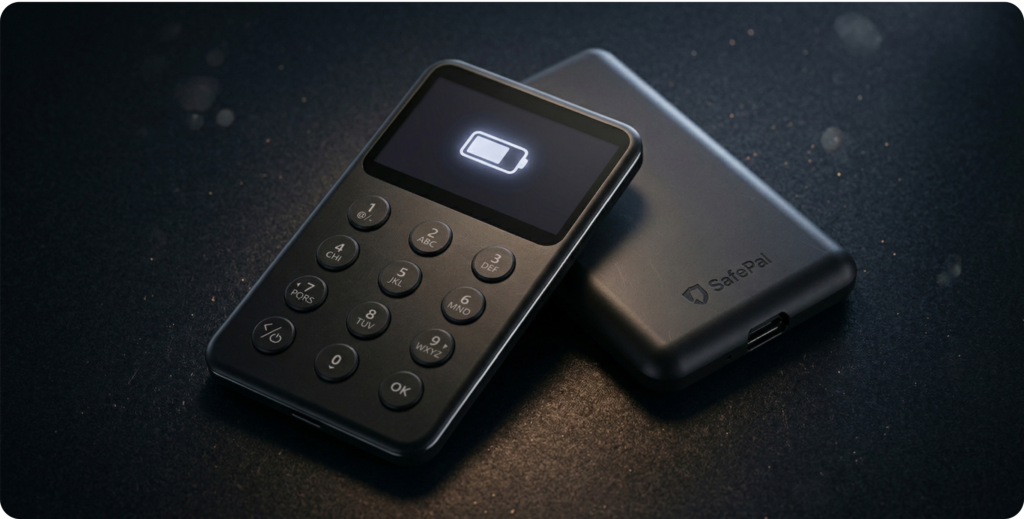
The Bluetooth, open-source hardware wallet from SafePal for managing over 200 blockchains, offering a simple, secure, and accessible experience.
What is the SafePal X1?
The SafePal X1 is an open-source Bluetooth hardware wallet launched in 2023 by SafePal, a company founded in 2018 and backed by Binance Labs, with more than 20 million users across 196 countries. It is the company’s first device to combine wireless connectivity with an open-source philosophy, positioning itself as an accessible option for users who want to step into self-custody without sacrificing everyday convenience.
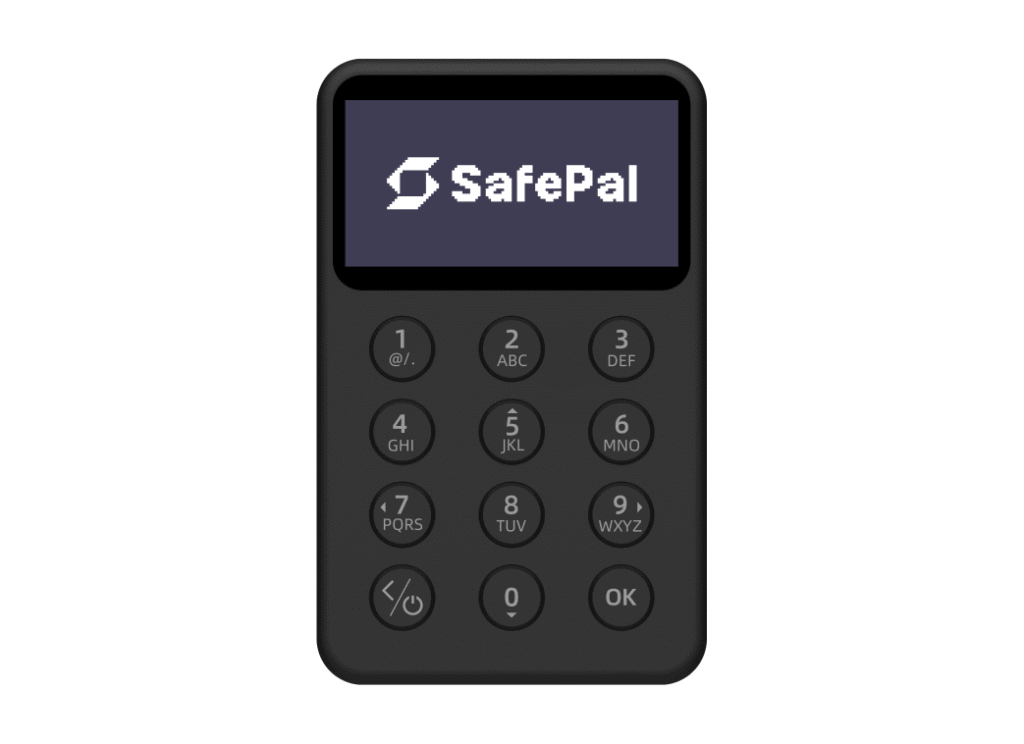
Unlike its older sibling, the SafePal S1, the X1 does not rely on a camera-based QR code signing system. Instead, it uses high-speed Bluetooth 5.0 to communicate with the SafePal mobile app, streamlining transaction signing and reducing friction for less technical users. Visually, it resembles a compact pocket calculator: rectangular, lightweight, and featuring 12 laser-engraved buttons plus a D-pad for navigation.
SafePal as a company: background and support
Before getting into the device itself, it’s worth understanding who is behind it. SafePal was founded in 2018 with the goal of democratizing access to cryptocurrency custody solutions. From the outset, it was backed by Binance Labs, the investment arm of the world’s largest exchange, which gave it credibility and momentum in an industry where trust is everything. Today, the company serves a user base of over 20 million users across 196 countries, with official distributors in more than 40 countries and regions.
This ecosystem has a direct impact on the user experience: the SafePal App is very well developed and includes swap functionality, access to DApps, an integrated fiat on-ramp, and support for Binance Pay as a payment method when purchasing hardware. This is not a small company with limited resources; it is a well-established player in the crypto wallet market.
Did you know… SafePal is led by Veronica Wong, one of the few female CEOs at the helm of a global crypto infrastructure company with more than 20 million users.
Design and hardware: the pocket calculator that stores your crypto
The first contact with the SafePal X1 leaves a clear impression: it is a compact, lightweight, and functional device with an aesthetic that does not try to look like a premium gadget. Its ABS+PVC casing feels solid to the touch, although it does not reach the robustness of devices such as the SafePal S1 Pro, which uses an aluminum alloy and tempered glass.
The display is a 1.8-inch monochrome LCD with a resolution of 128×64 pixels, larger than competitors such as the Ledger Nano X (0.83″) or the Trezor Safe 3 (0.96″). This allows more transaction information to be shown without having to scroll as much through the interface, which is a noticeable advantage in everyday use. It also features three adjustable backlight levels, making it suitable for different lighting environments.
The built-in battery is 200 mAh, offering approximately two hours of continuous use on a full charge. Charging is done via an included USB-C cable. For standard usage (turning on the device, signing a transaction, and powering it off), battery life is rarely a real issue. However, users who manage highly active portfolios with multiple daily signatures should take this into account.
Box contents
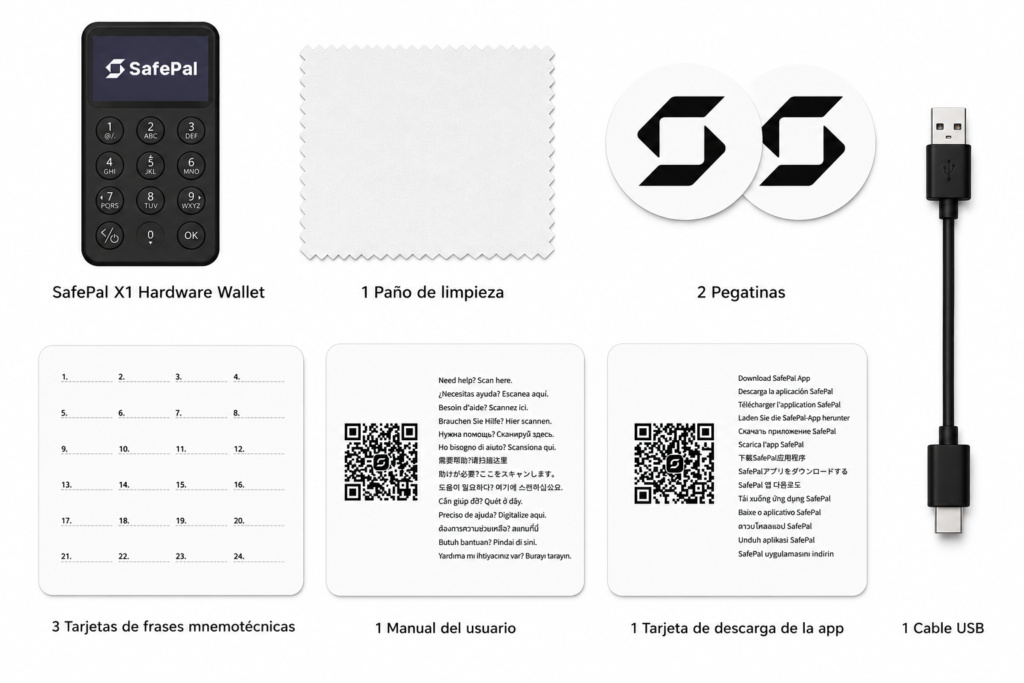
The SafePal X1 comes with everything you need to get started:
- SafePal X1 Hardware Wallet
- 1 USB-C cable
- 3 mnemonic phrase cards
- 1 app download card
- 1 user manual
- 1 cleaning cloth
- 2 stickers
The three seed phrase cards are a practical touch: the manufacturer recommends storing copies in different locations for greater resilience against loss or disaster.
Security: the most important aspect above everything else
In a hardware wallet, security is not just another feature—it is the very reason the device exists. The SafePal X1 integrates an EAL6+ security chip (CC Certified Secure Element), the same standard used by competitors such as Ledger or Trezor. EAL6+ is a Common Criteria certification used in high-security environments, such as biometric passports or high-value banking systems. Its presence ensures that the private key is generated and stored within the chip, with no possibility of direct extraction.
In addition to the chip, the X1 features several additional layers of protection:
- True Random Number Generator (TRNG): The seed is not generated pseudorandomly, but rather through a hardware-based entropy process that ensures its unpredictability.
- Multiple safety sensors: The device detects attempts at physical tampering using sensors located inside it.
- Tamper-proof self-destruct mechanism: If anyone attempts to dismantle or physically tamper with the device, it triggers a process that renders the information stored on it irrecoverable.
- Passphrase (optional): In addition to the standard seed phrase, users can add an additional passphrase that serves as an extra layer of protection in case the seed is compromised.
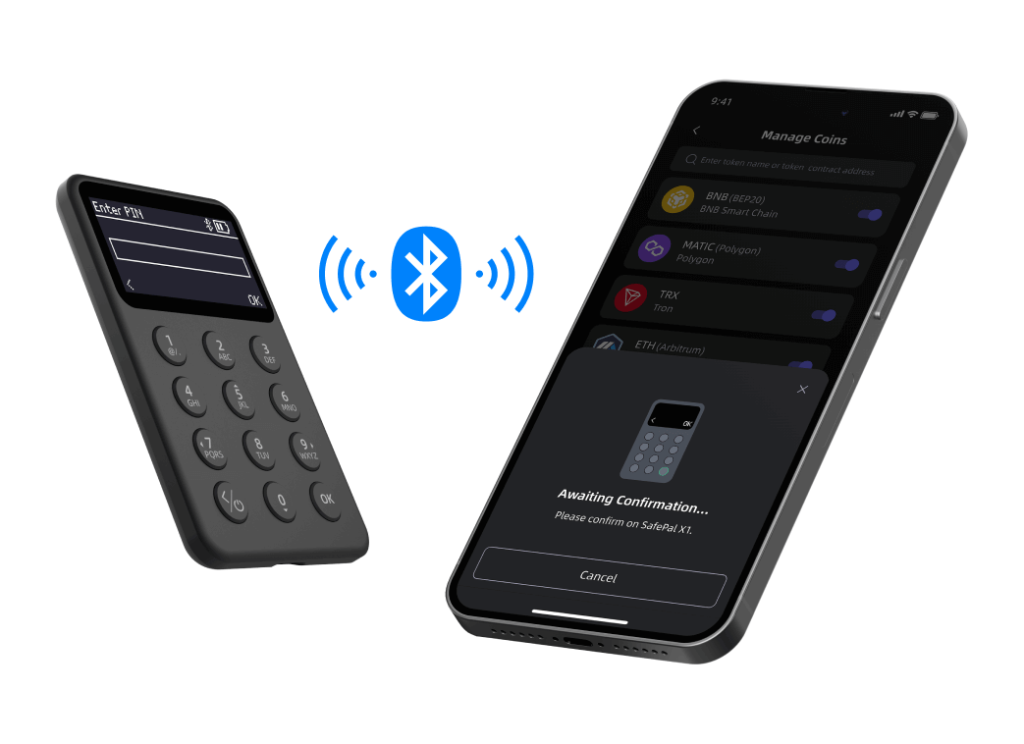
In terms of connectivity, Bluetooth does not store or transmit private keys. Transaction signing takes place inside the device’s secure chip; what is transmitted via Bluetooth is only the already signed transaction, ready to be broadcast. That said, users who prefer to eliminate any wireless attack vector should be aware that the X1 does not offer a functional USB connection for transaction signing, meaning Bluetooth is the only communication method with the app. This is a key differentiating factor compared to devices that offer both options.
Since its launch in 2023, the SafePal X1 has maintained a clean security record, with no publicly reported hacks or exploited vulnerabilities.
Important note: always purchase the wallet through official channels and ensure it arrives sealed and intact before setting it up, as any prior tampering could compromise security from the very beginning.
Open source: transparency as a guarantee of security
The SafePal X1 is presented by the company as its first open-source Bluetooth hardware wallet. Its firmware and related software are auditable by any security researcher or external developer, which provides a level of transparency that closed-source devices cannot offer.
In the world of security, open source is not just a philosophy; it is a verification mechanism. When code is public, bugs or backdoors are far more likely to be detected by the community. SafePal keeps the repository available for review on its technical blog: SafePal X1 open-source wallet suite blog
This point is especially relevant for users coming from the Bitcoin ecosystem who value maximum transparency in the tools they use to custody their funds.
SafePal X1 vs. SafePal S1: Which One Should You Choose?
The most natural comparison within the SafePal lineup pits the X1 against the S1, the company’s flagship model that has been its go-to product for years. They represent two distinct philosophies within the same brand.
| Characteristic | SafePal X1 | SafePal S1 |
|---|---|---|
| Price | $69,99 | $49,99 |
| Connection method | Bluetooth 5.0 | Offline (QR code + camera) |
| Open source | Yes | No (closed-source firmware) |
| Security chip | EAL6+ CC | EAL6+ CC |
| Screen | 1.8-inch monochrome LCD (128×64) | 1.3-inch color LCD (320×320) |
| Self-destruct mechanism | Yes | Yes |
| Battery | 200 mAh (~2 hours of continuous use) | 400 mAh |
| Buttons | 12 buttons + D-pad | D-pad |
| Housing material | ABS + PVC | ABS + PVC |
| Supported blockchains | 200+ | 200+ |
| Passphrase | Yes | Yes |
The key difference between the two is not security, but rather their usage philosophy and connectivity approach. The S1 uses a fully air-gapped signing system based on QR codes and the mobile phone camera, with no wireless connectivity of any kind. This makes it more robust from a total isolation standpoint, but also slower and less convenient for users who sign transactions frequently.
The X1, by using Bluetooth, offers a smoother experience closer to software wallets, while still maintaining offline custody of private keys. In exchange, its battery is smaller (200 mAh vs. 400 mAh), and its display, although larger in size, is monochrome compared to the S1’s color screen.
In terms of price, the S1 is more affordable ($49.99), but the X1 adds open-source transparency and Bluetooth connectivity, which justifies the $20 price difference for users who value those features.
Which one to choose?
The decision is not so much technical as it is about user profile:
- SafePal S1 → if you prioritize maximum isolation and don't mind the QR process.
- SafePal X1 → if you value Bluetooth convenience, open-source transparency, and a larger display.
Where can I buy the SafePal X1?
The recommendation is to purchase it exclusively through the official SafePal store. Buying from unofficial channels (third-party marketplaces or unauthorized resellers) carries the risk of receiving a device that has been previously tampered with, which could compromise security from the very first use.
The official store accepts multiple payment methods:
- Credit or debit card
- PayPal
- Payment in cryptocurrency
- Binance Pay
The price is $69.99, excluding VAT and customs duties. SafePal offers free shipping when purchasing two or more units (excluding the leather case and express shipping), which can be interesting if you want to buy two devices as a backup or as a gift. The warranty is one year from the activation date, with customer support available 24/7.

SafePal X1
| Score | |
| Price | $69.99 |
| Launch | 2023 |
| Screen | 1.8″ · 128 × 64 px |
| Battery | Up to 2 hours of use |
| Load | USB-C port |
| Connectivity | Bluetooth 5.0 |
| Compatibility | +200 blockchains |
| Code | Open Source |
Setup and Activation: A Step-by-Step Guide
The setup process for the SafePal X1 is simple and well-guided, designed for users with varying levels of technical expertise.
1. Initial device activation: when you receive the X1, the box includes a card with a QR code that links to safepal.com/x1. Scanning this code from your mobile phone starts the activation process and confirms that the device is authentic. This is an anti-counterfeiting verification step that should not be skipped.
2. Download the SafePal App: The app is available for free on both the Apple App Store and Google Play, as well as in APK format for Android. It serves as the main interface for managing your assets, signing transactions, and accessing features such as swaps, DApps, or the fiat gateway.
3. Connect the hardware wallet: Within the app, select the option to connect a hardware wallet and choose the X1 model. Turn on the SafePal X1 and follow the Bluetooth pairing instructions. The process is quick and, under normal conditions, the connection is established within a few seconds.
4. Create the wallet and seed phrase: Once the device is paired, you can create a new wallet. The X1 generates the mnemonic seed phrase directly within the device’s secure chip, allowing you to choose between 12, 18, or 24 words depending on the desired security level. The 24-word option is the most robust and the recommended standard. Write the phrase down on the cards included in the box and store them in separate secure locations. This phrase is the only recovery point for your funds: if you lose it, there is no other way to access them.
5. Assign a name and start using it: The final step is to assign an identifying name to the wallet. From this point on, the experience is completely seamless: the app displays your balance, allows you to send and receive cryptocurrencies, perform internal swaps, or connect to DApps, always requiring physical confirmation on the device for any operation involving fund transfers.
The overall setup experience is intuitive and does not require advanced technical knowledge. Users with no prior experience using hardware wallets should be able to complete it without issues by following the instructions in the app.
In terms of the app, SafePal performs well: the interface is clear, pairing with the X1 is established quickly, and the connection remains stable during use. We tested it across different Android and iOS devices without any relevant issues, which makes a difference in a device so dependent on it.
What happens if I lose the SafePal X1? Your funds remain safe. You can access them using your seed phrase cards. Without your PIN and the configured SafePal app, no one can access them.
Who is the SafePal X1 for?
The SafePal X1 is not designed for all user profiles. Its ideal fit is quite specific:
It's a good fit for:
- Users taking their first steps into self-custody who are looking for an accessible and easy-to-set-up device.
- Holders with medium- to long-term strategies who want to move assets with some frequency without the friction of a QR-based signing process.
- Users managing diversified portfolios across multiple blockchains who need broad network support.
- Users who value open-source transparency as part of their security criteria.
- Users who want to integrate with the DeFi ecosystem, swaps, and DApps directly from the same hardware wallet app.
It is not the best choice for:
- Hardcore Bitcoiners who seek maximum air-gapped isolation and prefer zero wireless connectivity.
- Users who need long battery life for intensive usage sessions.
- Users looking for a device with a color display and higher build quality (in that case, the S1 Pro or the Ledger Nano X are better options).
Final verdict: Is the SafePal X1 worth it?
After testing it in day-to-day use, the conclusion is clear: the SafePal X1 delivers on what it promises, and it does so without friction. It is not the most rugged device on the market nor the cheapest, but it fills a real gap that few devices cover well: a convenient, transparent hardware wallet with support for virtually any blockchain you might need. Bluetooth connectivity works smoothly, and signing happens inside the secure chip, so the only thing transmitted wirelessly is the already signed transaction, without ever exposing private keys.
Its limitations are well known and worth mentioning: the battery is designed for standard use, not intensive sessions, and the plastic casing is not meant to compete with high-end devices. For the target user profile, neither of these is a real issue.
For anyone taking their first steps into self-custody or looking for a secondary wallet for frequent use, the X1 at $69.99 is probably one of the best value-for-money options on the market right now. The fact that it is open source adds an extra layer of transparency that is always welcome in security-focused products.
This review is based on a real-world testing period. During that time, we set up the wallet from scratch following the official process, tested the backup system using the seed phrase cards, made send and receive transactions across different networks (Bitcoin, Ethereum, and Solana), and evaluated the day-to-day experience of carrying it in a wallet and using it with different Android and iOS devices. We also checked the app’s behavior across different operating system versions and assessed Bluetooth connection speed under normal usage conditions.