

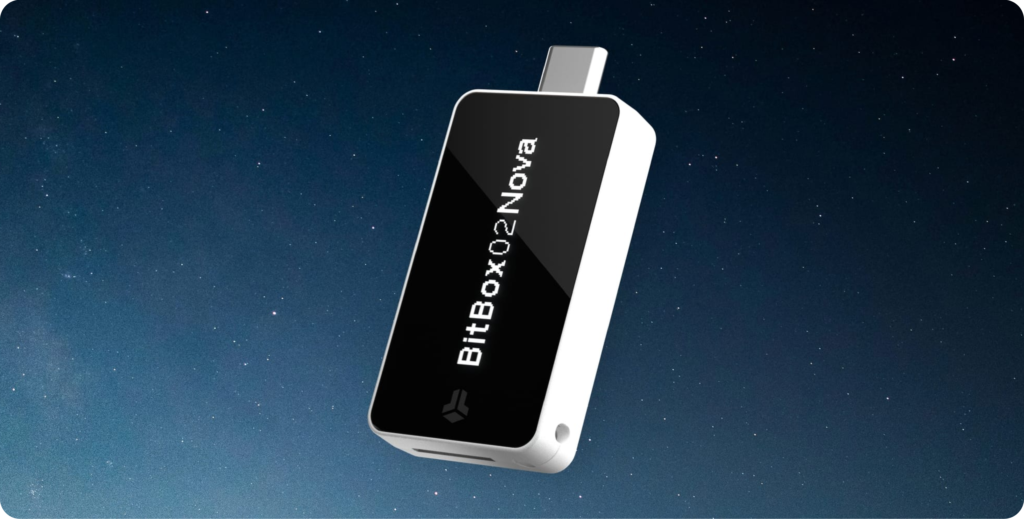
The Swiss hardware wallet that arrives with iPhone compatibility, a reinforced display, and an open-source approach. We tested it in everyday use to see what it really brings compared to the BitBox02.
What is the BitBox02 Nova?
The BitBox02 Nova is a self-custody hardware wallet manufactured in Switzerland by Shift Crypto. Its purpose is to store and protect cryptocurrency private keys completely offline, preventing any exposure to the internet, malware, or unauthorized access. In practice, it functions as a physical security layer for signing transactions, ensuring that the user retains full control of their funds without relying on exchanges or third parties.
The device maintains BitBox’s characteristic minimalist approach: a very compact USB-C form factor, no unnecessary elements, and a touch-based interface. The main novelty of the Nova is iPhone and iPad compatibility, along with USB-C and optional Bluetooth Low Energy, plus upgrades such as an OLED display with tempered glass, an EAL6+ secure chip, and a microSD backup system. Overall, it is a wallet designed for simple self-custody with high security standards, without complicating the user experience.
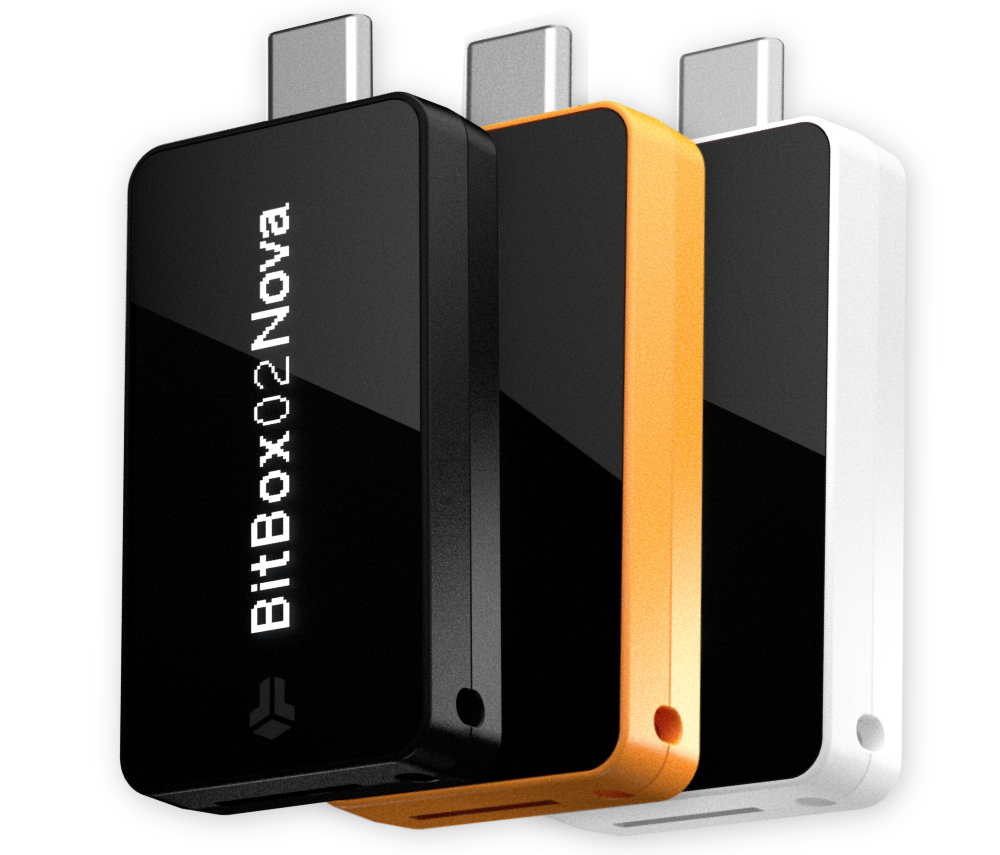
BitBox02 Nova in black, polar white, and the new Bitcoin orange color
The BitBox02 Nova introduces a new Bitcoin Orange color, a direct nod to the Bitcoin ecosystem that was not present in the previous generation.
Security: The Real Core of the BitBox02 Nova
Beyond design and user experience, security is where the BitBox02 Nova truly stands out. The device integrates an OPTIGA™ Trust M V3 secure chip with EAL6+ certification, a standard used in environments where credential protection is critical, such as banking systems or digital identity documents. The private key is generated inside the device during initialization and never leaves the hardware, meaning it is never exposed to the internet or to the operating system of the connected device at any point.
This approach is complemented by an architecture designed to reduce the attack surface without complicating usability. The firmware is fully open source, allowing independent auditing of the code, and communication with the BitBoxApp takes place through encrypted channels designed to keep private keys isolated. In the case of the Nova, optional Bluetooth Low Energy connectivity is also included under the Whisper architecture, which maintains end-to-end encrypted communication and can be completely disabled if the user prefers to rely solely on USB-C as the only connection method.
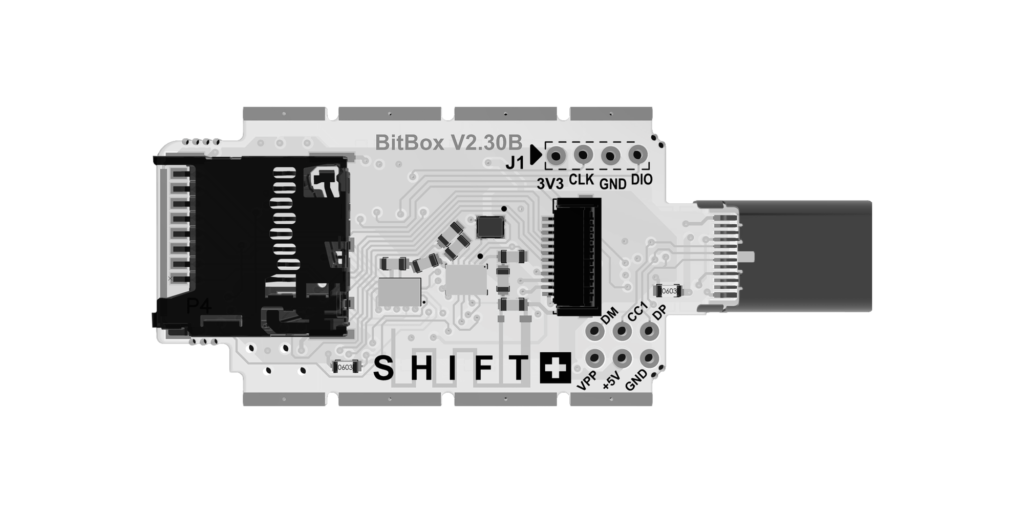
Interior of the BitBox02 Nova with exposed PCB, microSD card reader, and USB-C connector.
Always buy the wallet through official channels and verify that it arrives sealed and intact before setting it up, as any prior tampering can compromise security from the very beginning.
Bitcoin-only vs. Multi on the BitBox02 Nova
The BitBox02 Nova is offered in two versions: Bitcoin-only and Multi, and the difference is not limited to the supported cryptocurrencies, but extends to the overall firmware approach itself. The Bitcoin-only edition is designed exclusively for Bitcoin, removing all code related to other networks. This reduces system complexity, simplifies software auditing, and minimizes the attack surface, which is especially valued by users who prioritize maximum security and only operate with BTC.
The Multi version, on the other hand, expands support to multiple cryptocurrencies such as Ethereum, Cardano, or Litecoin, as well as thousands of additional tokens. It also adds features like FIDO U2F authentication for logging into online services. In exchange, the firmware is more complex due to the inclusion of additional components and use cases, offering greater versatility but following a less minimalist philosophy than the Bitcoin-focused edition.
Which one to choose?
The decision is not so much technical as it is about user profile:
- Bitcoin-only → ideal if you only use BTC and want maximum simplicity and focus
- Multi → better if you have a diversified portfolio or want to use the wallet also as a FIDO key
Bitcoin-only vs. Multi
Two distinct approaches within the BitBox02 Nova.
| Characteristic | Bitcoin-only | Multi |
|---|---|---|
| Cryptocurrencies | Only Bitcoin (BTC) | BTC, ETH, ADA, LTC and more |
| Philosophy | Minimalism and simplicity | Versatility and multi-asset |
| Firmware complexity | Smaller | Wider |
| Attack surface | Minor | Mayor (more features) |
| FIDO U2F Authentication | No | Yes |
| Ideal for | BTC-only users | Diversified portfolios |
| Focus | Maximum simplicity | More flexibility |
Price and what the BitBox02 Nova includes
Currently, the BitBox02 Nova is priced at €175 (VAT included), placing it in the mid-to-high range within hardware wallets. It is not the cheapest option on the market, but it also does not fall into the highest premium segment, especially considering its focus on open-source security and Swiss manufacturing.
The box includes everything needed to get started: the BitBox02 Nova itself, a microSD card for backups, a USB-C to USB-A adapter, a USB-C to Lightning adapter, a USB-C extension cable, and basic accessories such as mounting strips and stickers. It is a fairly complete package, designed to cover both desktop and mobile use without the need to purchase anything additional.
The important point here is that there are no hidden costs or subscriptions. You pay for the device once and use the BitBoxApp completely free of charge, both on mobile and desktop, to manage, send, and receive your cryptocurrencies with full autonomy.
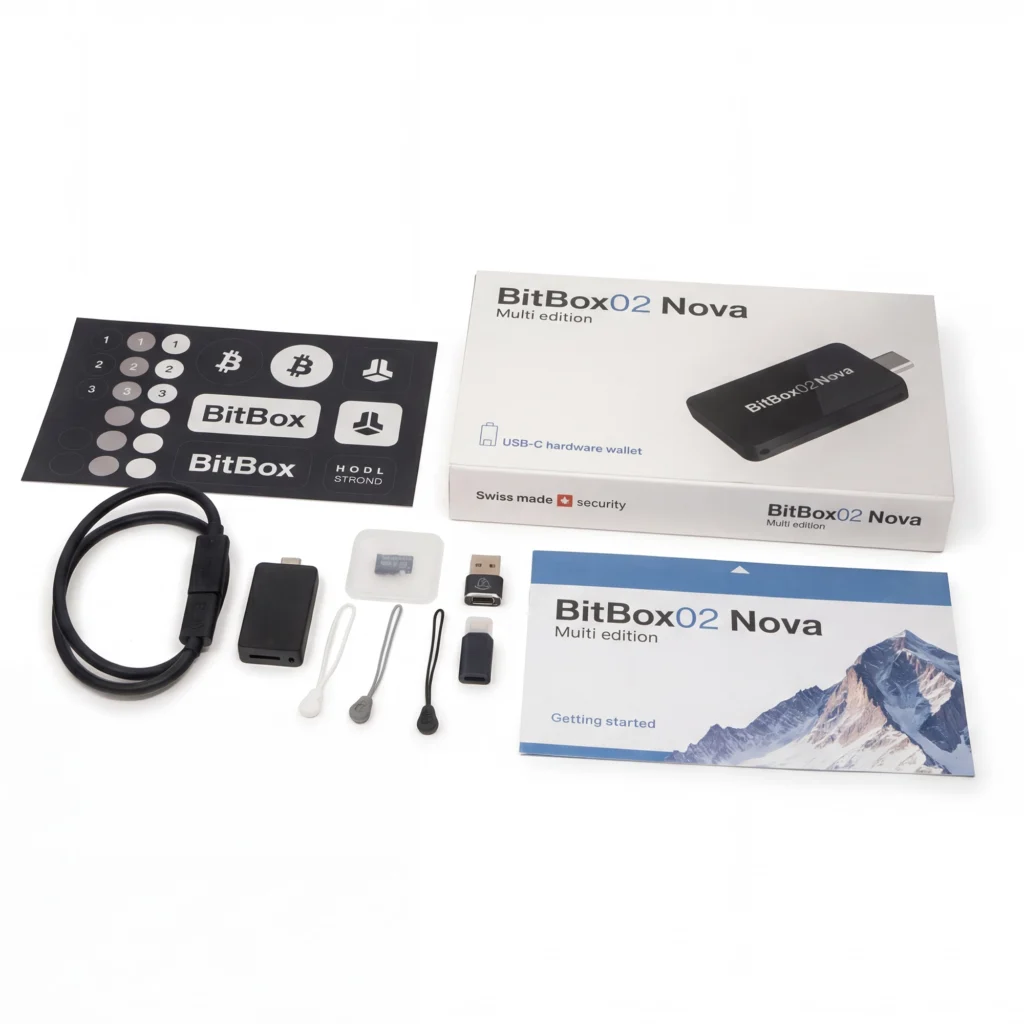
BitBox 02 Nova Box Contents: Device, microSD card, USB-C adapters, and included accessories
Optional extra: Bitcoin Whitepaper
Optionally, you can add a printed brochure of Bitcoin Whitepaper for €5 (including tax). Beyond its content, it stands out because the proceeds from its sale go toward projects aimed at open source within the Bitcoin ecosystem, reinforcing its educational character and support for the development of its own environment.
How the BitBox02 Nova Works: Step-by-Step Guide
The setup process takes less than 3 minutes:
The setup process is quite fast and is usually completed in a few minutes, always guided by the BitBoxApp.
- Download the BitBoxApp
Available for free on Windows, macOS, Linux, Android, and iOS. It is the official application from which the entire wallet is managed. - Connect the BitBox02 Nova
Connect it via USB-C or, if you use compatible devices, via optional Bluetooth Low Energy. The app detects it automatically without complex configurations. - Create your wallet
The BitBox02 Nova generates the private key in the device's secure chip, without ever going outside or coming into contact with the internet or the connected device's system. - Configure the backup
Here is one of its peculiarities: you can perform the backup via the microSD card included or use the BIP-39 recovery standard. This step is key to being able to restore the wallet in case of device loss or replacement. - Start using your cryptocurrency
From the BitBoxApp you can manage Bitcoin, Ethereum, Litecoin, and other assets (as published). All transactions are signed directly from the BitBox02 Nova, keeping the keys isolated from the connected device at all times.
In this video, you can see the full step-by-step setup process of the BitBox02 Nova. As shown, the installation is guided and quite intuitive through the BitBoxApp, from the initial connection to wallet creation and backup generation on the microSD card. It is a quick process that does not require advanced technical knowledge and can be completed in just a few minutes.
Who is the BitBox02 Nova for?
The BitBox02 Nova is designed for users who want true self-custody without dealing with overly technical devices or complex interfaces. It is a hardware wallet aimed at those who prioritize security, simplicity, and a straightforward user experience, without sacrificing a high level of protection based on dedicated hardware.
In day-to-day use, it fits especially well with profiles looking for a discreet and reliable solution to store their cryptocurrencies long term, with the added benefit of being able to manage them from virtually any platform, including the Apple ecosystem thanks to its new compatibility with iPhone and iPad.
- Users holding BTC, ETH, or other assets who want to maintain them in self-custody.
- People who value security and prefer to avoid exchanges for long-term storage.
- iPhone or iPad users who until now had fewer convenient options within the hardware wallet ecosystem.
- Profiles seeking a compact, simple device that is easy to integrate into daily use.
- Users who value focus Open source and software transparency as part of security.
It's not the most suitable option for those seeking an advanced terminal-like experience or complex integrated trading functions, but it fits very well for those who want a solid, stable, and friction-free solution to maintain control of their assets.
What happens if you lose the BitBox02 Nova? You won't lose your funds. With the backup, you can recover the wallet on another device. The BitBox02 Nova doesn't store cryptocurrencies, only the keys to sign transactions.
BitBox02 Nova vs BitBox02: Model Comparison
The BitBox02 Nova is an evolution of the original BitBox02, primarily focused on improving the mobile user experience and expanding compatibility with modern devices, especially within the mobile ecosystem. Both share the same security foundation, secure chip, and open-source philosophy, so the difference is not in the level of protection, but in usability, connectivity, and certain hardware refinements. In terms of price, the Nova is positioned at €175, while the original BitBox02 starts at €149, which also reflects the generational upgrade between the two.
In essence, the BitBox02 remains a very solid option for desktop use, while the Nova takes a step forward in versatility by integrating support for iPhone and iPad, as well as more flexible communication options.
BitBox02 Nova vs. BitBox02
Quick comparison of Swiss hardware wallet generations.
| Characteristic | BitBox02 Nova | BitBox02 |
|---|---|---|
| Price | 175 € | 149 € |
| Secure chip | EAL6+ | EAL6+ |
| Open source | Yes | Yes |
| Mobile compatibility | iPhone, iPad, Android | Android |
| Desktop compatibility | Windows, Mac, Linux | Windows, Mac, Linux |
| Screen | OLED with tempered glass | Standard OLED |
| Connectivity | USB + Bluetooth (optional) | USB |
| Editions | Bitcoin-only / Multi | Bitcoin-only / Multi |
Final opinion: Is the BitBox02 Nova worth it?
The BitBox02 Nova makes sense for a very specific type of user: someone who wants serious self-custody and hardware wallet security, but without giving up a simple, straightforward experience that integrates well with the devices they already use in their day-to-day life. The entire product is built around that idea: protecting private keys offline, while keeping the process from becoming complex or cumbersome.
And that is where the Nova fits in quite well. The fact that it maintains an extremely compact design, a relatively simple setup, and now adds compatibility with iPhone and iPad significantly changes its position compared to the previous generation. On top of that, it includes BitBox’s characteristic microSD backup system, open-source firmware, and a build that prioritizes discretion over any unnecessary aesthetic elements.
After testing it, the impression is clear: the BitBox02 Nova does not try to reinvent what a hardware wallet is, but rather to make it more accessible and consistent in day-to-day use. It does not aim to be the most complex or the most eye-catching device, but instead a solid, coherent solution that is easy to integrate into different environments.
For the type of user who values security, simplicity, and true control over their assets, it is likely one of the most balanced options on the current market.
Very easy to use, with fast and well-protected shipping. The app is intuitive and offers a wide variety of features for both beginners and more experienced users. Additionally, it has clear and practical tutorials that make getting started easy.